

Wallpapers
Wallpaper App
You can open the integrated wallpaper app from the sidebar or with the keybinding SUPER + CTRL + W.
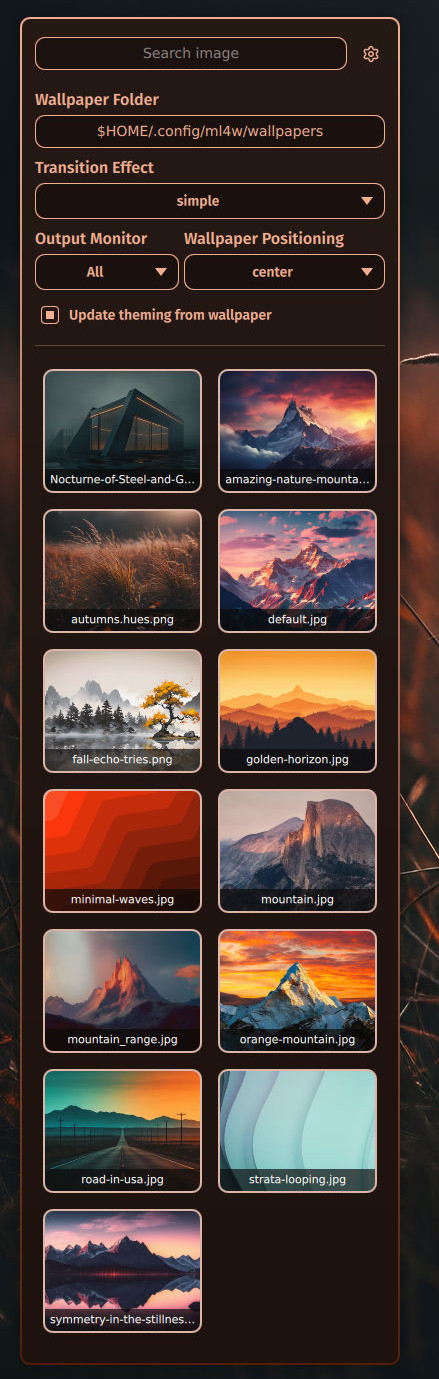
Click the settings icon next to the search field to open the Advanced Options.
There you can select your wallpaper folder, the transition effect for awww and the monitor settings.
Wallpaper Keybindings
| Keybind | Action |
|---|---|
| SUPER + SHIFT + W | Change wallpaper (random from your wallpaper folder) |
| SUPER + CTRL + W | Open the wallpaper app |
| SUPER + ALT + W | Start/Stop wallpaper automation |
Wallpaper Automation
You can start an automatic wallpaper change with the keybinding above. Press the same keybinding again to stop it.
You can set the delay between two wallpaper changes in seconds (default: 60) in ~/.config/ml4w/settings/wallpaper-automation.sh.
Wallpaper Effects
You can enable wallpaper effects to completely change the look of your selected wallpaper.
To select an effect, open the wallpaper app from the sidebar (or with SUPER + CTRL + W), click the settings icon next to the search field and choose Wallpaper Effects. Select an effect from the list, or off to turn the effect off. The effect is applied to the current wallpaper right away and stays active when you change the wallpaper.
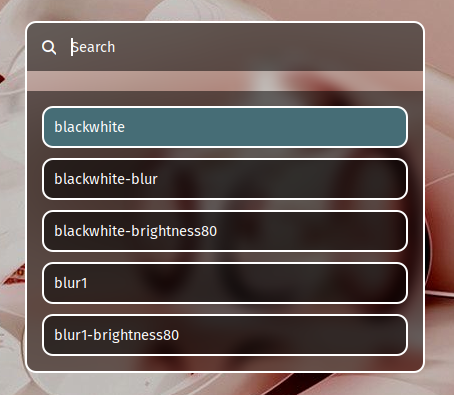
ML4W OS includes effects like black & white, blur and negate, each also in darker variants.
You can add your own effects in the folder ~/.config/hypr/effects/wallpaper. Every file in this folder is one effect, and the file name is the name shown in the list.
An effect file contains one or more magick commands. $IMAGE_PATH is a copy of the selected wallpaper, and each command changes that copy in place:
magick $IMAGE_PATH -set colorspace Gray -separate -average $IMAGE_PATH
magick $IMAGE_PATH -brightness-contrast -60% $IMAGE_PATH
Wallpaper Cache
Generated versions of a wallpaper are cached in the folder ~/.config/ml4w/cache/wallpaper-generated. This speeds up switching between wallpapers when cached files exist.
You can disable the cache in the ML4W Settings App.
You can clear the cache in the ML4W Settings App or with this command:
~/.config/hypr/scripts/wallpaper-cache.shTo regenerate the current wallpaper, turn off the cache in the Settings App and select the same wallpaper again.
The ML4W Wallpaper Repository
You can download more wallpapers from the ML4W Wallpaper repository.